
How To Find Your Tire Size
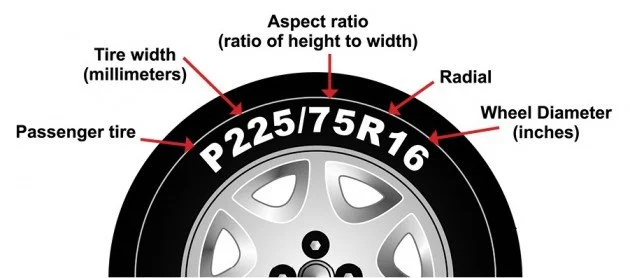
On The Side Wall Of Your Tire
Look for a series of letters and numbers molded into the tire sidewall—this is the tire size. It usually begins with a letter like P or LT (for passenger or light truck) followed by three digits indicating section width in millimeters, a slash, two digits for aspect ratio (sidewall height as a percent of width), and a final number for wheel diameter in inches (for example, P215/65R16). You may also see load index and speed rating after the diameter (e.g., 98H), and markings for run-flat, M+S, or winter tires elsewhere on the sidewall. If you can’t find a full code, check for a smaller DOT code or the word SIZE followed by the numbers, and if in doubt, write down what’s on the sidewall or bring a photo to your local shop for help.
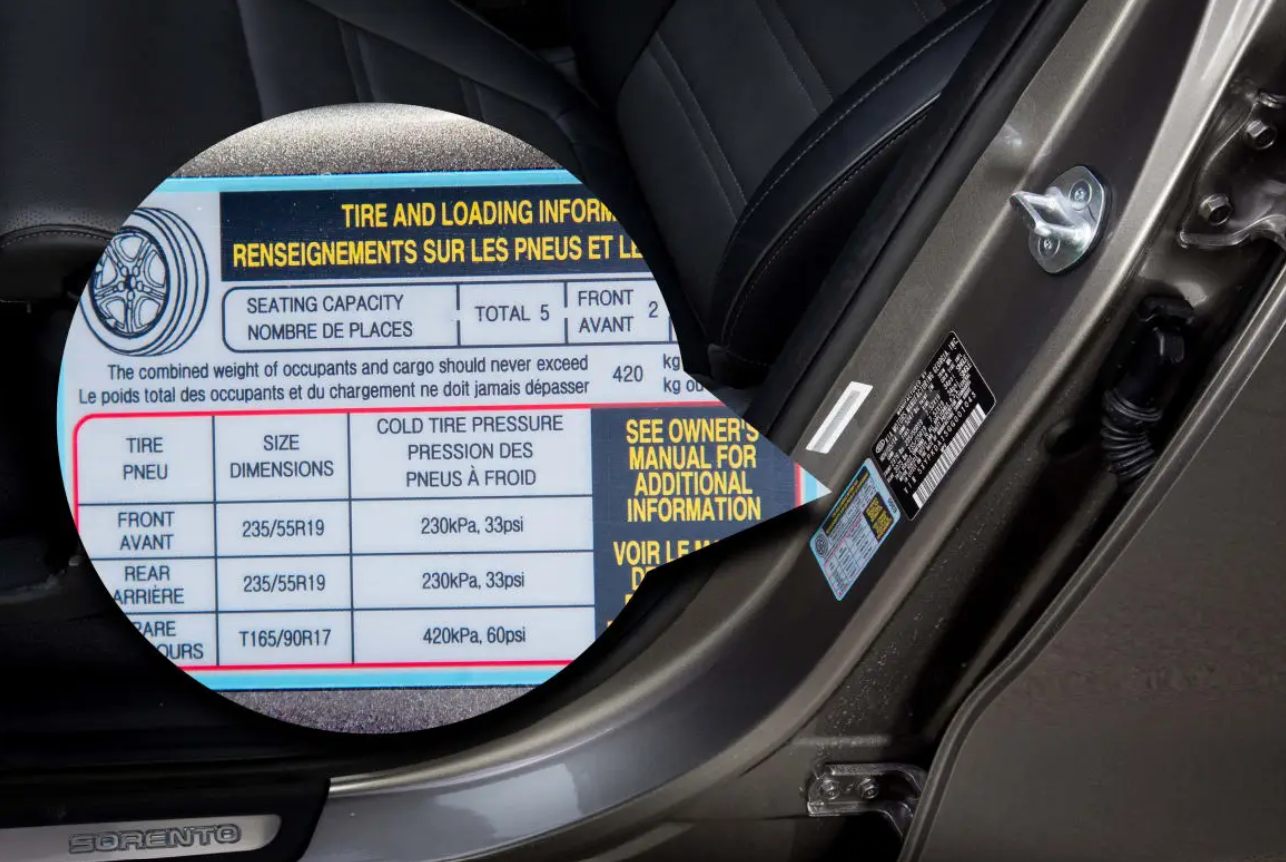
In The Driver Side Door Jamb
To find your tire size in the car’s door jamb, open the driver’s door and look for the vehicle information sticker—usually located on the driver-side door edge, the door pillar, or the door sill. The sticker lists important vehicle specs; locate the line labeled “Tire” or “Tire Size” (it may also show “P225/65R17” or a similar alphanumeric code). That code breaks down into width (millimeters), aspect ratio (sidewall height as a percentage), construction type (R for radial), and wheel diameter (in inches). The sticker may also show recommended tire pressure (PSI) for front and rear tires and the original rim size, so use this information when replacing tires to match manufacturer recommendations.